






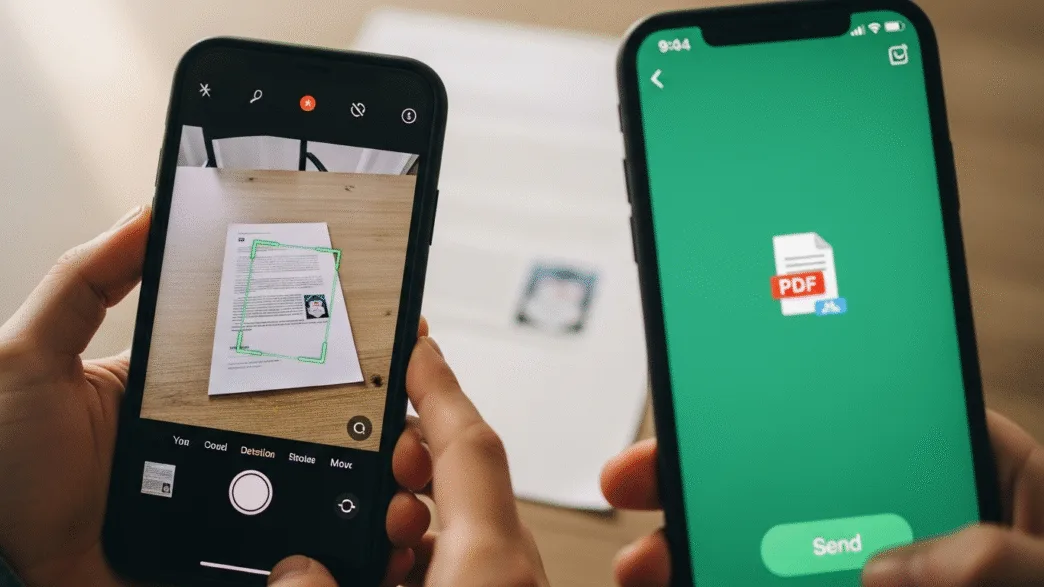
Learn how Android and iPhone let you scan and send PDF directly on WhatsApp without needing third-party apps.
The Meta app hides a scanner that converts documents into PDFs within the chat; it’s fast, free, and without installing anything extra, perfect for sending paperwork instantly.
WhatsApp has incorporated a feature that many users have been waiting for for years, and that is that from now on you can scan documents and send them in PDF format without having to install other applications.
The tool is already available on both Android and iOS, so you should make sure you have the latest version installed. It is designed to facilitate daily tasks such as sending invoices, receipts, or class notes without leaving the chat.
Until now, if you wanted to digitize a document, you had to rely on third-party payment apps or scanners built into phones.
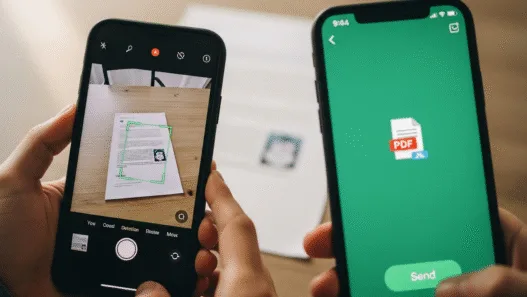
But with this update, the messaging app integrates its own system that transforms the mobile camera into an intelligent scanner capable of detecting the edges of the paper, adjusting the color, and generating a clean file with good image quality and in PDF format, ready to send.
You don’t need to do anything special, just have to have the app updated from Google Play or the App Store for it to be activated automatically, and once available, you can use it immediately and thus be able to send scanned files in your chats.

How to scan documents directly from WhatsApp
- Within the chat where you want to share a file, tap the paperclip icon or “+” next to the text field.
- From the menu that opens, choose the Document option, and at the bottom of the list, select Scan Document. At that point, the phone’s camera opens in scanner mode.
- You can use two modes. In the automatic system, the application detects the edges of the document and captures the image as soon as it is well framed. In the manual, you decide when to take the shot, which is useful if it’s dim or if the background doesn’t allow for good focus.
- After capture, WhatsApp processes the image, corrects the perspective, improves sharpness, and converts it directly into PDF. In a matter of seconds you can send it to the contact or group of your choice.
This new tool simplifies the most common task among students, workers, or freelancers, which is to send documents in PDF format quickly and without complications. You no longer have to switch between apps or waste time converting formats. Everything is done within the chat itself, with the advantage that the result has the same quality as that of a paid app.
WhatsApp seeks to consolidate itself as more than just a messaging application; with the new scanner, the platform adapts to a more practical and professional use. You can send a contract, an invoice, or a signed sheet without depending on external tools or a computer. The mobile becomes a portable office that allows you to solve it in seconds.
For students, this feature is also useful, as photographing notes, assignments, or forms and sending them in PDF format maintains the quality of the text and prevents blurring, which is common when sharing photos of documents in image format. The system automatically detects margins and adjusts lighting to make content readable.
Integrating a scanner within WhatsApp is not just a convenience; it’s also a direct improvement in the way you work. The application becomes a more versatile tool, capable of covering tasks that previously required several steps. If you usually send quotes or receipts, this feature saves you time and reduces errors.
In addition, automatic conversion to PDF avoids compatibility issues. Files are preserved with an optimized size and a format that can be opened on any device. This is especially useful where the immediacy and clarity of the document are essential.
With this new feature, the Meta app strengthens its position and makes its day-to-day life easier. Along with other recent features—such as the ability to send photos in high definition, use the app on multiple devices, or share screens in video calls—the platform continues to evolve.
Be a part of over Success!
- Stay ahead of the curve with the latest tech trends, gadgets, and innovations! Newsletter
- Follow me on Medium for more insights
- Write for Us on Technoluting (Medium)