



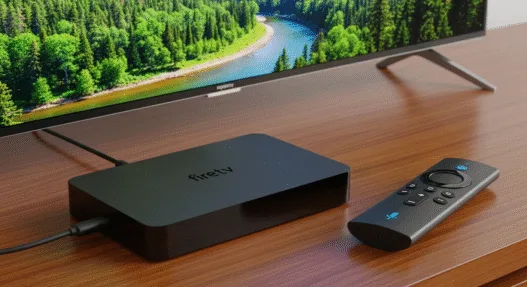
Dive into the app compatibility risks of Fire TV Vega OS and why enthusiast should be worried about lost features.
If you follow the news about Amazon Fire TV, you will know that there are important changes on the horizon. The company recently announced several devices and a new operating system to rule them all: Vega OS. The problem with this new OS? Unlike Fire OS, it is based on Linux and not Android, which prevents it from getting along with the installation of applications via APK. Today we tell you what will happen to your Fire TV if it is updated and also how to prevent it from doing so.

With AI-powered Fire TV Search, Wi-Fi 6, stream over 1.8 million movies and shows, free & live TV 
Amazon has created Vega OS as a much more closed operating system than Fire OS. The first example, and the one that is causing the most drama, is that Fire TVs will no longer be able to install Android apps via APKs. This system is closed, and the nature of the new OS only allows you to install applications designed specifically for Fire TVs from Amazon’s own app store.
That is, all those apps to watch illegal content, legal IPTV lists, transfer files between Fire TV and mobile, or connect certain unofficial services will no longer be compatible when your device updates to Vega OS. For this reason, if you want to keep your device as it is now, it is best to prevent the update from being installed.

How to Stop Amazon Fire TV from Updating to Vega OS
We already told you, the process is not as simple as ignoring a pop-up window for months. Amazon is quite interested in updating Fire TVs around the world, so it could force you to install Vega OS when the first alert message appears on your device.
How is it avoided then? The key is to isolate your Amazon Fire TV from automatic updates, a rather radical and intrusive process, but one that pushes away new versions of the device to maintain the OS of a lifetime. Grab a pen and paper; it’s not a blink of an eye.
- Go to the Amazon App Store, download the ‘Downloader‘ app, and don’t open it.
- Go to the device’s settings, go to My Fire TV, and access the developer options.
- In this section, activate the ADB Debugging and Unknown Sources options.
- Now open the ‘Downloader’ app and type in the 250931 code.
- In the installer that opens right after, you need to download the ‘Debloater TechDoctorUK’ app and accept the USB debugging permissions.
- Then enter this app and mark all the update processes that you see in the list. These are all those that include the terms “system updates.”
- Click on ‘Play,’ and that’s it.
This process will prevent your Amazon Fire TV from receiving and installing system updates on its own, although this is a somewhat radical process that could also affect other parts of the system or worsen certain behaviors of the device.