






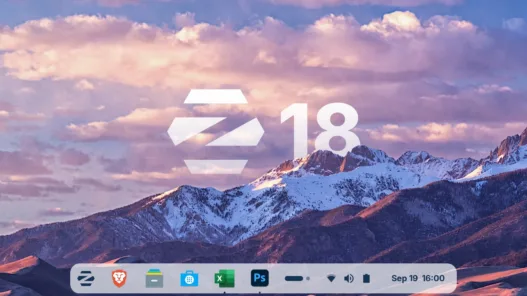

Zorin OS 18 now available brings major improvements, features, and that perfect replacement for Windows—discover what’s new and why to make the switch.
Zorin OS 18 is now available in its stable version, thus completing the cycle started with the beta that was published a few weeks ago. The new major edition of the distribution that defines itself as “the perfect replacement for Windows” arrives with a more modern design, a more fluid environment, and an updated base whose support will extend until 2029.
It seems like a mantra that we repeat with each new release of the system, but it is true: Zorin OS is still one of the friendliest options for those who come to the Linux desktop from other systems, in particular from Windows, and this version is another example of that. Why? Because of the presentation of the system, basically, and everything is arranged to flow smoothly with well-known premises. 

Zorin OS 18, new features
Zorin OS 18 is based on Ubuntu 24.04 LTS, so it is based on a solid and well-tested foundation, as well as updated. To be exact, it picks up the components of Ubuntu 24.04.3 LTS, including the Linux 6.14 kernel, Mesa 25.0.7, systemd 255, PipeWire as the default audio server, and many other changes.
As its own novelties, the first visible change in Zorin OS 18 is its appearance, renewed with more rounded edges, a warmer color palette that abandons the traditional nuclear white, and a floating panel by default. The system also incorporates two new color themes—yellow and brown—in addition to the usual light and dark modes, all with soft tones very much in the style of Android Material Design.
Another of the outstanding novelties of this release is the new advanced tile manager, clearly inspired by Windows 11, which allows you to organize windows by dragging them to the top of the screen and choose between different layouts, with the possibility of creating custom layouts and defining keyboard shortcuts. With this, Zorin OS is closer to smoother and more efficient multitasking.
As for the applications, there are changes of different levels, both for visual refinement and for the default selection. Thus, the basic applications also receive a review: from Files and Settings to Calendar or the new Camera program that replaces Cheese. Evolution, meanwhile, remains the default productivity suite, as does Brave as the web browser.
It also improves web apps, derived from the Linux Mint tool with which to turn any site into a desktop application with menu integration and customization options. A web app, oh my. Added to this is the native integration with OneDrive and an expanded database of recommendations to find alternatives to Windows programs in the application store, one of the hallmarks of the project.
Lovers of customization, however, will find in the Pro edition an incentive to collaborate with the project, since this version includes two new desktop layouts that emulate the appearance of Linux Mint and elementary OS, along with a compact mode designed to make better use of screen space. All this in addition to what Zorin OS Pro already contemplated, which also grows with new applications.
All the information about this release is in the official announcement of Zorin OS 18.
The download of Zorin OS 18 is available at this link, including the Core edition, the generic one for all types of users; the Education edition, specific for educational projects; and Zorin OS Pro, paid (€47.99) for those who want extra customization and available applications, technical support, and, mainly, support the project.
FAQ from Content
-
Q1. What is Zorin OS 18?
A1. Zorin OS 18 is the latest version of the Linux-based operating system designed to provide a familiar and user-friendly experience for Windows users, offering enhanced performance, updated features, and a refined interface.
-
Q2. What are the major new features in Zorin OS 18?
A2. Zorin OS 18 introduces faster performance, updated desktop layouts, improved app compatibility, enhanced security, and a refreshed design that closely mimics the Windows environment for easier transition.