








Discover how Comet, Perplexity AI browser, redefines web browsing with smarter search and seamless performance that beats Chrome.
Table of Contents
Perplexity’s Comet is no longer a simple tool for accessing the web; it has become an operational assistant with real autonomy. It far surpasses Google’s browser.
For years, Chrome has been the default browser for almost everyone; it is popular for being fast, stable, and full of extensions. It seemed like an unbeatable and irreplaceable app, until now. 
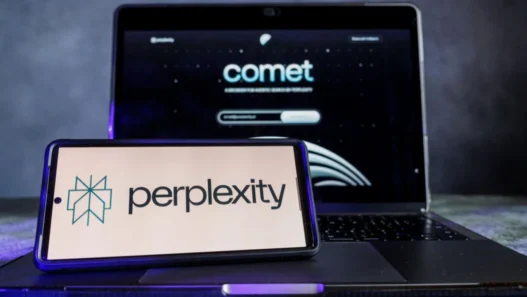
And there is a new player who not only opens tabs but also understands them, summarizes them, and works for you. This is Comet, which is developed together with Perplexity, and its proposal is so ambitious that it has begun to have a large user base.
In a landscape saturated with identical options, this AI browser is betting on something different. It integrates an assistant with artificial intelligence that can automate tasks, understand documentation, execute commands, or instantly search.
After testing it for weeks, the difference is evident. While it’s not prettier than Chrome or faster, it’s much more useful. Comet doesn’t just show you the website; it interprets it and manages it with you.
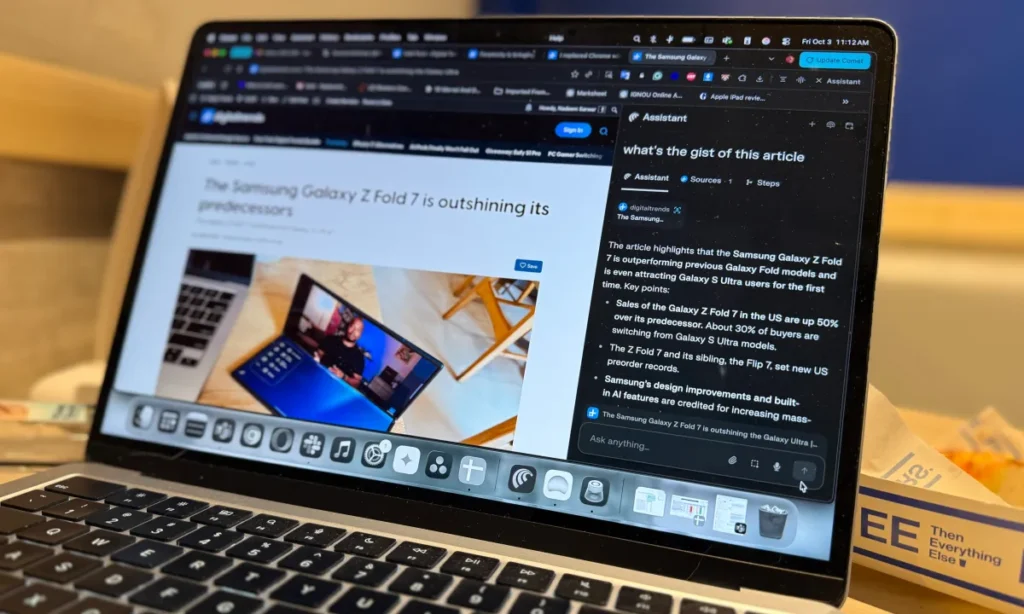
What makes Comet different: the Browser that does things for you
At the core of Comet is its Assistant, a tool based on Perplexity’s technology that goes beyond answering questions. It can act within web pages, guide you step-by-step through an installation, or even help you modify settings without having to waste hours searching the web.
The difference is noticeable when you go from simple tasks to lengthy processes. You can ask it to search for information on a website, extract the relevant information, summarize it, and show you only the essentials.
You can even perform automatic tasks such as updating documents, comparing products, or finding the best price for a certain product online. All this without relying on extensions or external scripts.
One of its most powerful features is the ability to create custom shortcuts. You can design commands such as /update-sheet or /find-offers so that the browser repeats routine tasks with a single message.
Given these functions, Chrome would need several extensions to do the same, but Comet solves it natively. In fact, he also understands the context.
Perplexity’s browser can instantly summarize it, extract key points, or tell you the minutes where it’s talking about what you’re interested in.
On the other hand, if a comment on X or Reddit doesn’t make sense, it analyzes it and explains what’s behind it. That contextual understanding is what makes it more than just a browser, and it far outperforms Google’s option.
AI Browser Automation applied to daily life
The real magic comes when Comet is integrated into your daily routine, because it not only searches for information, but executes actions. You can fill out forms, manage carts, apply discount coupons, or even cancel orders.
Its voice mode multiplies that feeling of natural control because you can talk directly to it to open a website, play a video, or ask it to perform a specific task. It doesn’t just understand commands; it understands what you’re doing and acts accordingly.
That combination of natural language, automation, and context completely changes the experience. Chrome is still fast, but it’s up to you for everything, while Comet automates what previously required your constant attention.
Not everything is perfect, but he makes up for it with intelligence
It should be noted that Comet is not foolproof, because it consumes more resources than Chrome and demands more memory, especially when artificial intelligence is active. It also raises some privacy questions when connecting to your accounts or processing data automatically.
If you work with multiple tabs, projects, or online tools, the workflow becomes smoother. The assistant learns your habits and executes processes almost invisibly.
More than a browser, it feels like an operating system within the browser, capable of reducing steps and keeping you focused. While Chrome stays in the classic search and do model, Comet frees you from doing it all yourself.
The future of AI browser won’t be opening tabs but understanding them
Comet sets the course for a new generation of browsers: those who understand, decide, and act. While Google adds AI features in Chrome as if they were extensions, Perplexity has built a browser that is born with artificial intelligence at the center.
You no longer need extensions for every task or multiple open tabs to search for the same thing. It combines semantic search, automation, and context in a single environment, so what used to take minutes, it solves in seconds.
If Chrome was the standard for web browsing for the last decade, Comet could be the model for the next one, one where the browser understands what you do, learns from you, and anticipates your steps.
Why Comet can keep you from coming back to Chrome
It should be noted that Comet is not looking to replace Chrome for popularity, but for real utility. His strength is not in aesthetics or speed, but in the intelligence he applies to each action. Summarize, organize, act, explain, and execute without losing control.
After you’ve been using it for a while, Google’s browser starts to look like an app from the past, and not because it malfunctions, but because it forces you to do everything manually.
Be a part of over Success!
- Stay ahead of the curve with the latest tech trends, gadgets, and innovations! Newsletter
- Follow me on Medium for more insights
- Write for Us on Technoluting (Medium)
- Share your feedback or connect with me on LinkedIn — I’d love to hear from you!